Set-up Tool for CREVIS
IOGuidePro
- What is IOGuidePro?
: Mainly used for initial set-up or basic operation check as controller software tool provided by CREVIS
- PC Requirements
- OS : Windows NT 4.0(SP>3), Windows 2000, XP, Vista, 7, 8 and 10 (64bit 가능)
- CPU : 2GHz
- Memory : 64MB RAM
- Hard Disk : 60MB of free hard disk space
- Communication : Ethernet Port, Serial Port
- Main Functions
1. IO test/parameter setting using Modbus protocol
2. Validate power specification/ field power
3. Check the product’s specification/Dimension
4. Check the IO mapping address
5. Make project documentation as PDF/Excel
<Configuration>
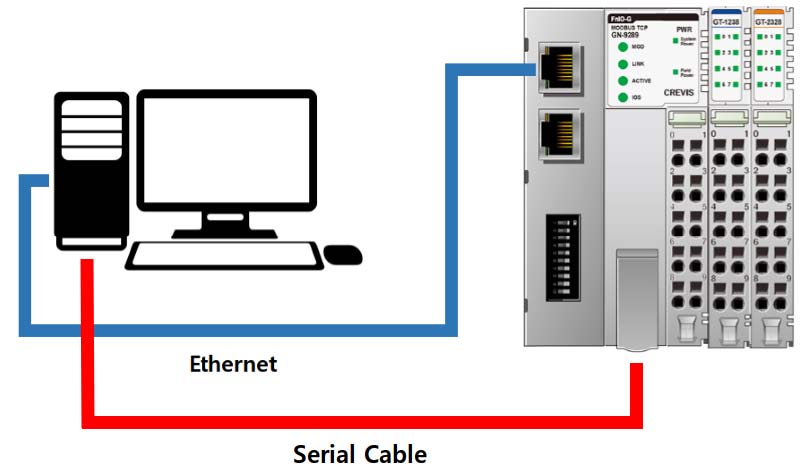
* Wire GT-1238(Digital Input) & GT-2318(Digital Output) by channel
- IOGuidePro 주요 기능 사용 방법 설명 (Attached Video or PPT)
How to use IOGuidePro main functions (Attached Video or PPT)
> Test 1 - IO test/parameter setting using Modbus TCP/IP protocol
> Test 2 - IO test/parameter setting using Modbus RTU protocol
> Test 3 - Validate power specification/ field power
> Test 4 - Check the product’s specification/Dimension
> Test 5 - Check the IO mapping address
> Test 6 - Make project documentation as PDF/Excel
Bootp Server
- What is Bootp Server?
: It is a program that sends a ‘Bootp Reply’ to the ‘Bootp Request’, and is used to set the product IP.
(Modbus TCP, Ethernet IP)
- Explain about Bootp Server
1. Full name : Bootstrap Protocol
2. It operates in the form of a server and a client, and the client sends a Bootp Request by broadcast.
3. The server receiving the Bootp Request responds by sending a Bootp Reply to the client.
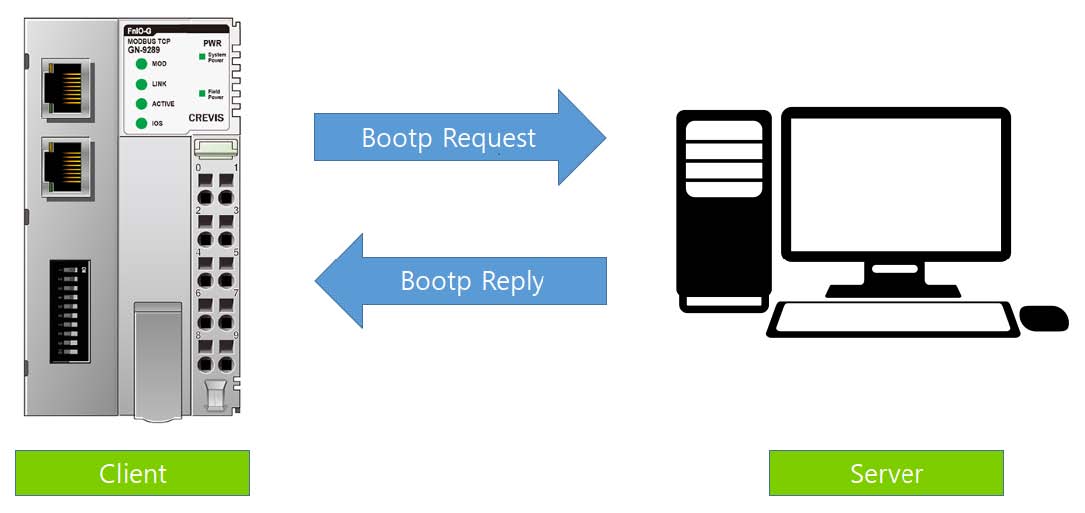
(1) Bootp Request
The server receiving the Bootp Request responds by sending a Bootp Reply to the client.
– Client sends a Bootp Request with its MAC address through Broadcast
(2) Bootp Reply
- Server sends a Bootp Reply with the IP address after receiving Bootp Request.
- How to set the IP address using Bootp Server (Attach Video or PPT)
Protocol messenger
- What is protocol messenger?
: Program that send a message by configuring the packet according to the Modbus (including IOGuidePro)
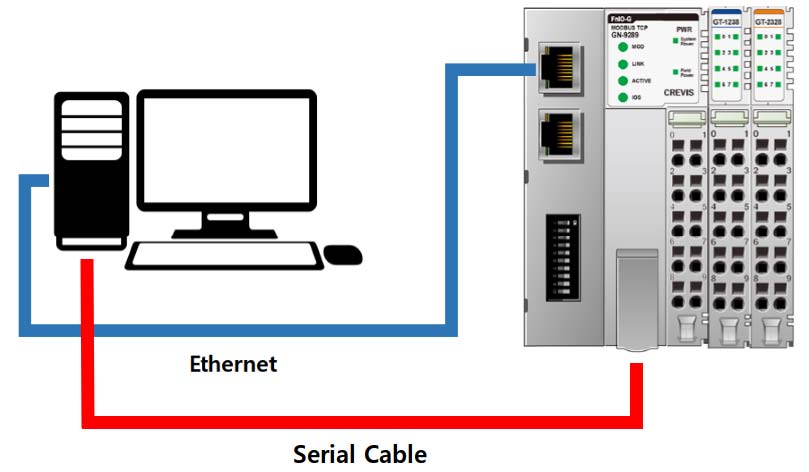
* Wire GT-1238(Digital Input) & GT-2318(Digital Output) by channel
- How to use protocol Messenger (Attached video or PPT)
> Test 1 – How to set the Protocol Messenger initially
> Test 2 – How to Read/Write (Read)
> Test 3 – How to Read/Write (Write)
COPYRIGHT ⓒ 2020 by CREVIS CO., LTD. ALL RIGHT RESERVED
연관상품